Fill Every Seat: Class Scheduling With Waitlists for After-School Programs

After-school programs run on timing, capacity, and a little bit of organized chaos. A good waitlist helps you keep classes full, reduce admin back-and-forth, and make it easier for families to grab a spot when one opens.
With Breely, clients can join a waitlist when a class session is full, and you can manage those entries from one place. For classes and group events, the waitlist applies to a specific class date and time, and clients can be notified when a seat opens.
A waitlist is more than a backup plan. It helps your program stay flexible without feeling messy.
A strong class scheduling setup can help you:
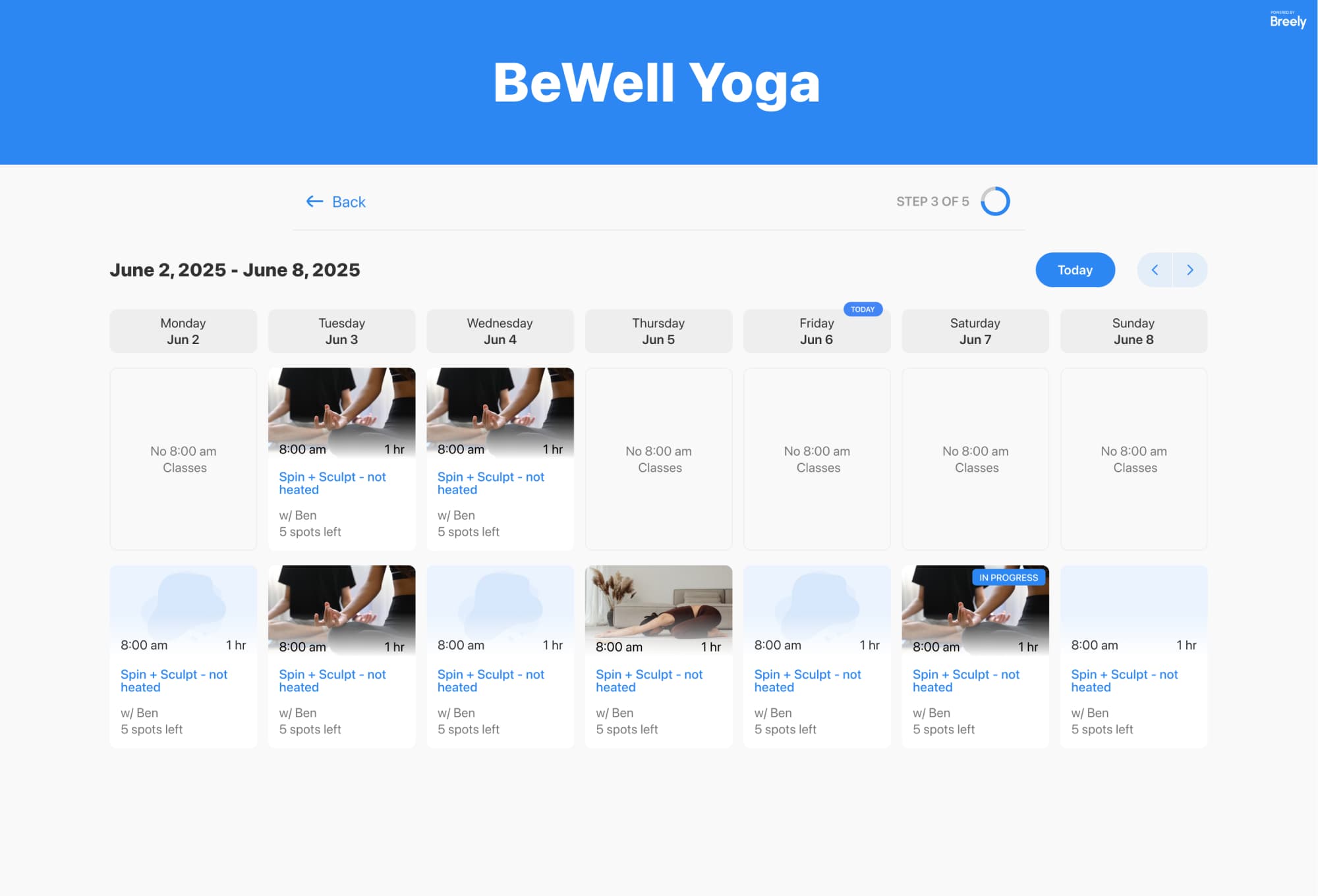
Breely supports classes, workshops, and courses as event types, so families can browse and book the right offering from your scheduling form.
Before you turn on a waitlist, make sure the rest of your setup is doing its job too.
Here are a few practical ways to make class scheduling easier:
Here’s the straightforward version.
Maximize enrollment with smart waitlists
Online booking, reminders, and payments — free to start
In Breely, event types represent the services clients can book, including classes, workshops, and class series. Class times for these offerings are set inside the event type.
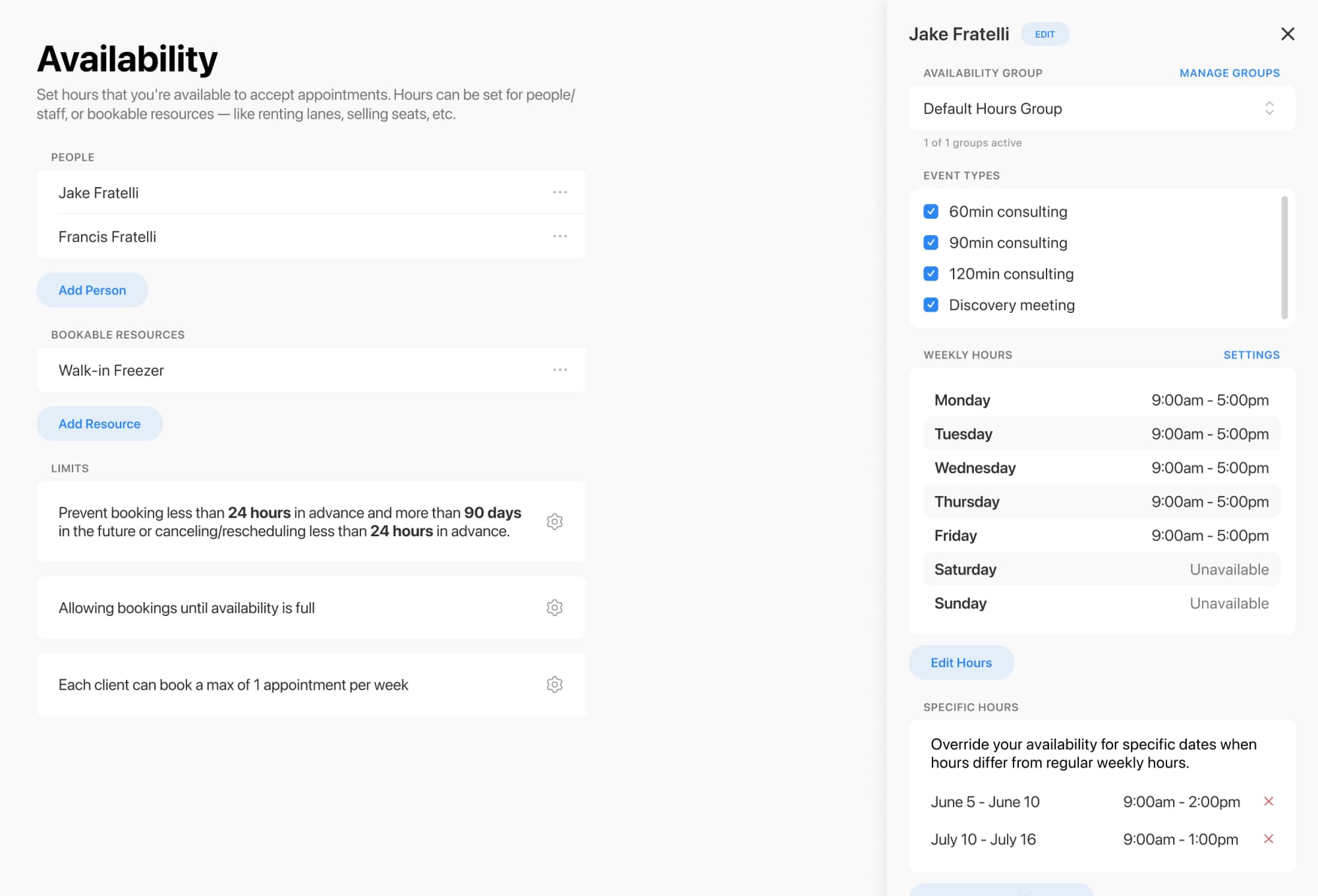
Use Breely’s Availability section to define when bookings can happen. You can:
If your after-school program relies on shared rooms or equipment, set up resource constraints so the schedule reflects your real-world capacity.
Waitlisting must be enabled before it appears in your forms.
To turn it on globally:
Once the global feature is active, you can enable it on the specific form families use to book.
When a class session is full, clients will see a Join Waitlist option automatically.
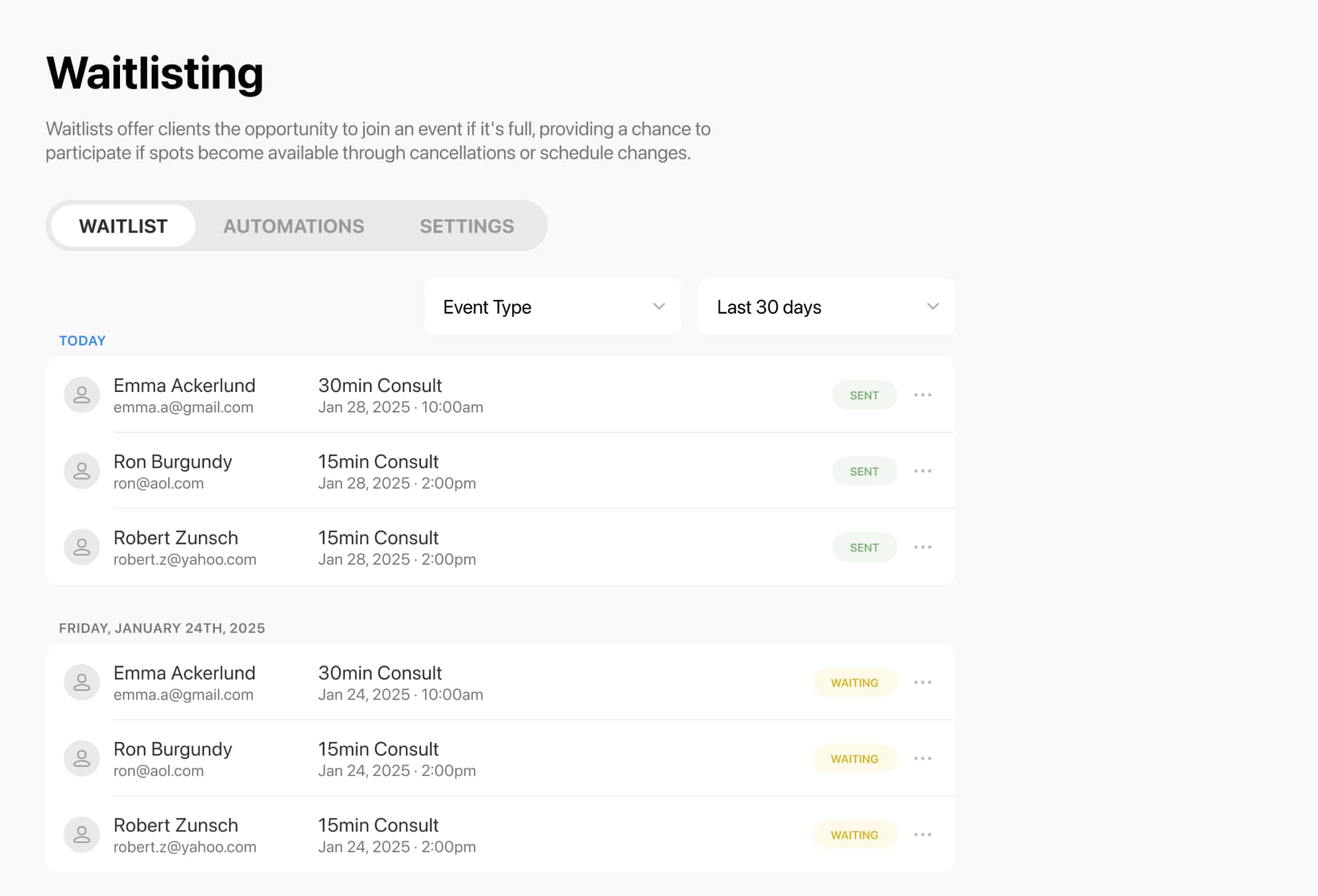
Breely gives you a dedicated Waitlisting area in the sidebar where you can manage waitlisted clients across your business. From there, you can:
For classes and group events, clients are waitlisted for a specific class session. If a seat opens in that exact session, they can be notified and book it. Breely also offers notification settings like Notify Everyone, where everyone on the waitlist is alerted and the first person to book gets the spot.
The best scheduling setup feels simple on the front end, even when there’s a lot happening behind the scenes.
Breely lets you customize booking forms, collect the right information from families, automate communication, and embed your form directly on your website for a smoother experience. fileciteturn0file7turn0file2
If you’re ready to keep classes full and take the stress out of after-school scheduling, set up your event types, enable waitlisting, and let Breely do more of the heavy lifting.
Maximize enrollment with smart waitlists
Online booking, reminders, and payments — free to start