Room and Resource Scheduling for Nutritionists

When your day includes private consultations, group programs, shared offices, and the occasional battle over the good room, scheduling needs to be simple.
Breely helps nutritionists organize availability, reserve rooms and shared resources, and keep bookings running smoothly without double-booking the space, the practitioner, or the blender. It supports availability for people and other bookable resources, plus room and resource constraints to match real-world capacity.
Nutrition practices often juggle more than one moving part at a time:
Breely lets you set regular weekly hours, create specific hours by day, and even group availability by event type so different services can run on different schedules. That means you can offer consults on one day, workshops on another, and still keep everything tidy behind the scenes.
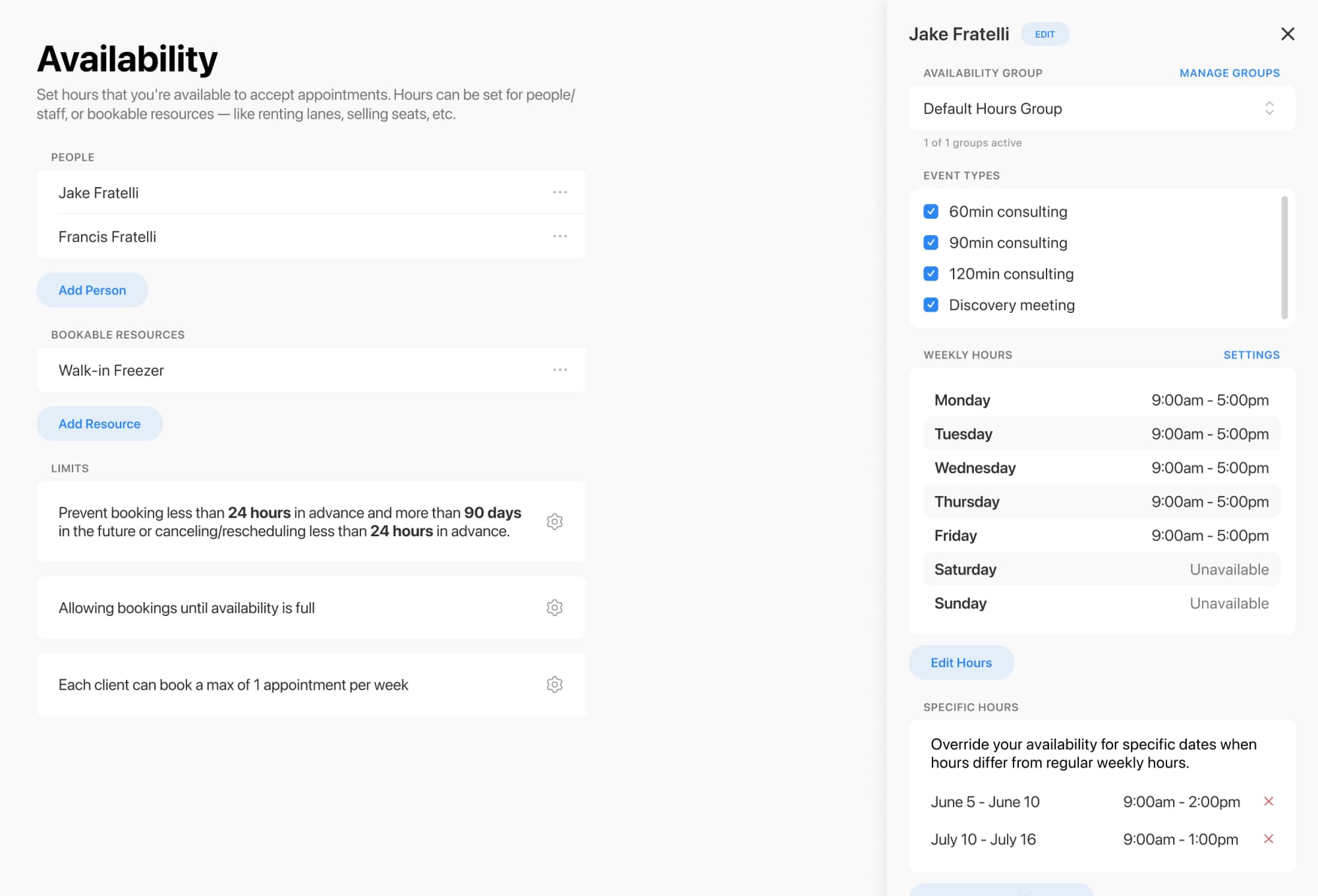
Not every booking is just about a person. Sometimes a session also needs a consult room, a classroom, or another shared resource.
Breely supports scheduling for:
If your nutrition team has multiple practitioners but only a few consultation rooms, resource constraints help make sure appointments are only booked when both the practitioner and the room are available. If an event type depends on multiple resources, all of them must be available for the booking to go through.
This is especially helpful for practices that offer:
A good schedule should protect your time, not just fill it.
Breely includes scheduling limits that help you stay in control, including:
You can also apply different rules by event type or team member, which is useful if your initial consults, follow-ups, and classes all need different booking behavior.
Event types can be linked to specific people and specific rooms or resources, so the correct setup is reserved automatically when a client books. This helps nutritionists offer different services without manual calendar gymnastics.
For example, you might create event types for:
Optimize nutritionist scheduling today
Online booking, reminders, and payments — free to start
You can also organize event types into categories, control which ones are publicly visible, and color-code them on the admin calendar for a cleaner view.

Scheduling is easier when your intake and communication are built into the process.
Breely supports customizable forms for collecting client information and uses automations to send messages after scheduling, before appointments, after rescheduling, after canceling, or after completion. That makes it easier to send confirmations, reminders, follow-ups, and practical next steps without extra admin work.
You can use it to:

Ready to make room and resource scheduling feel a lot less chaotic? Start building a booking flow that fits your nutrition practice and gives every appointment the space it needs.
Optimize nutritionist scheduling today
Online booking, reminders, and payments — free to start