Class Scheduling With Waitlists for Art Teachers

Keep your classes full, your calendar tidy, and your studio a little less chaotic.
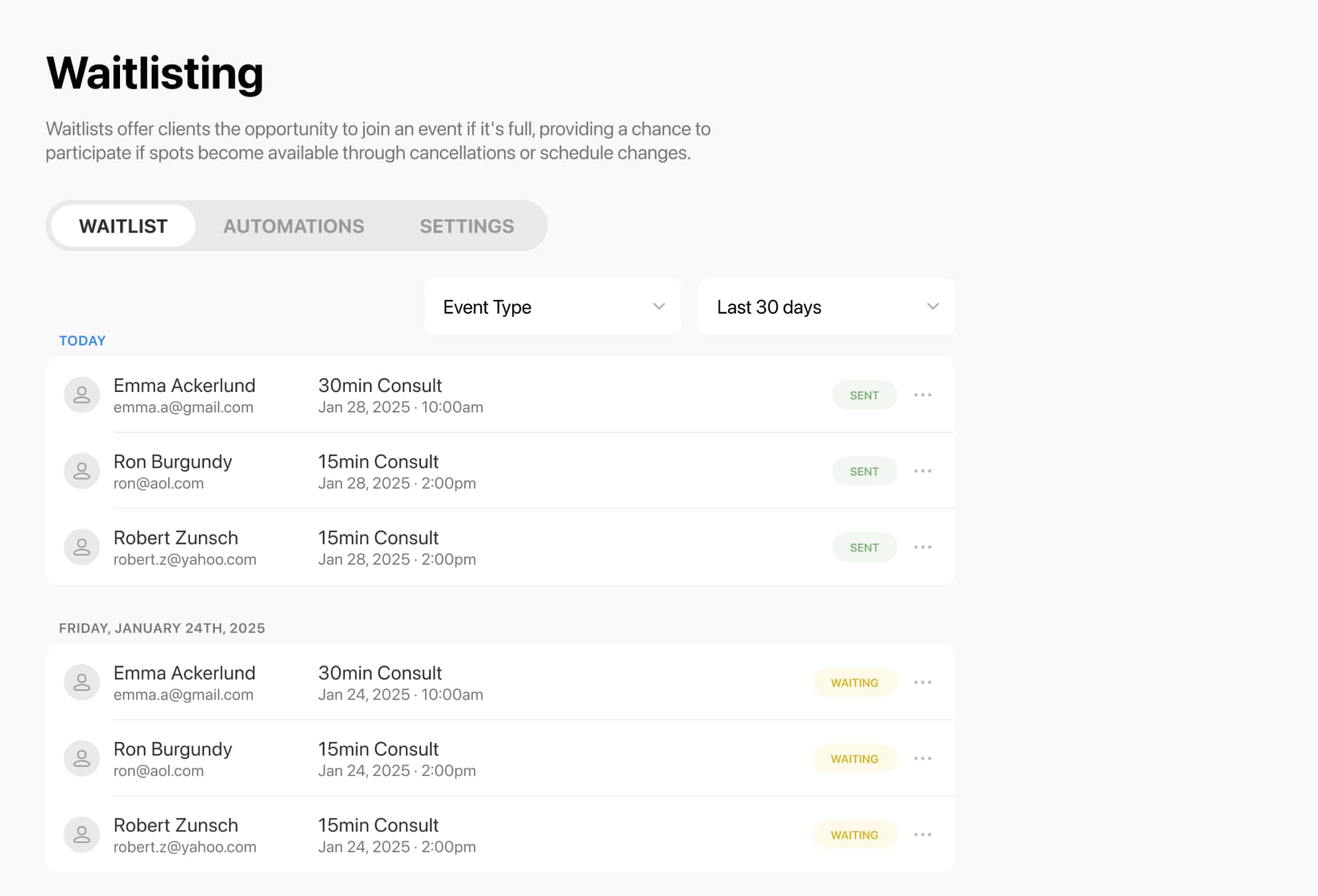
Whether you teach pottery, painting, drawing, or mixed media, class scheduling software with waitlists helps you manage bookings, fill last-minute openings, and give students an easy way to claim a spot when one opens up. Breely supports waitlists for both group classes and one-on-one bookings, and students can join a waitlist right from the booking form when a class is full. When availability changes, notifications can go out automatically so open seats do not stay open for long.
Cancellations happen. Wet clay happens too.
With waitlisting enabled, students can join the list for a specific class session when it is full. If a seat opens, they can be notified and book that exact spot. You can choose to notify everyone at once, or use settings like first-in-line behavior to control how openings are claimed.
That means less time spent sending “a spot just opened” emails by hand, and more time teaching.
Art classes rarely fit into a one-size-fits-all calendar.
You may run:
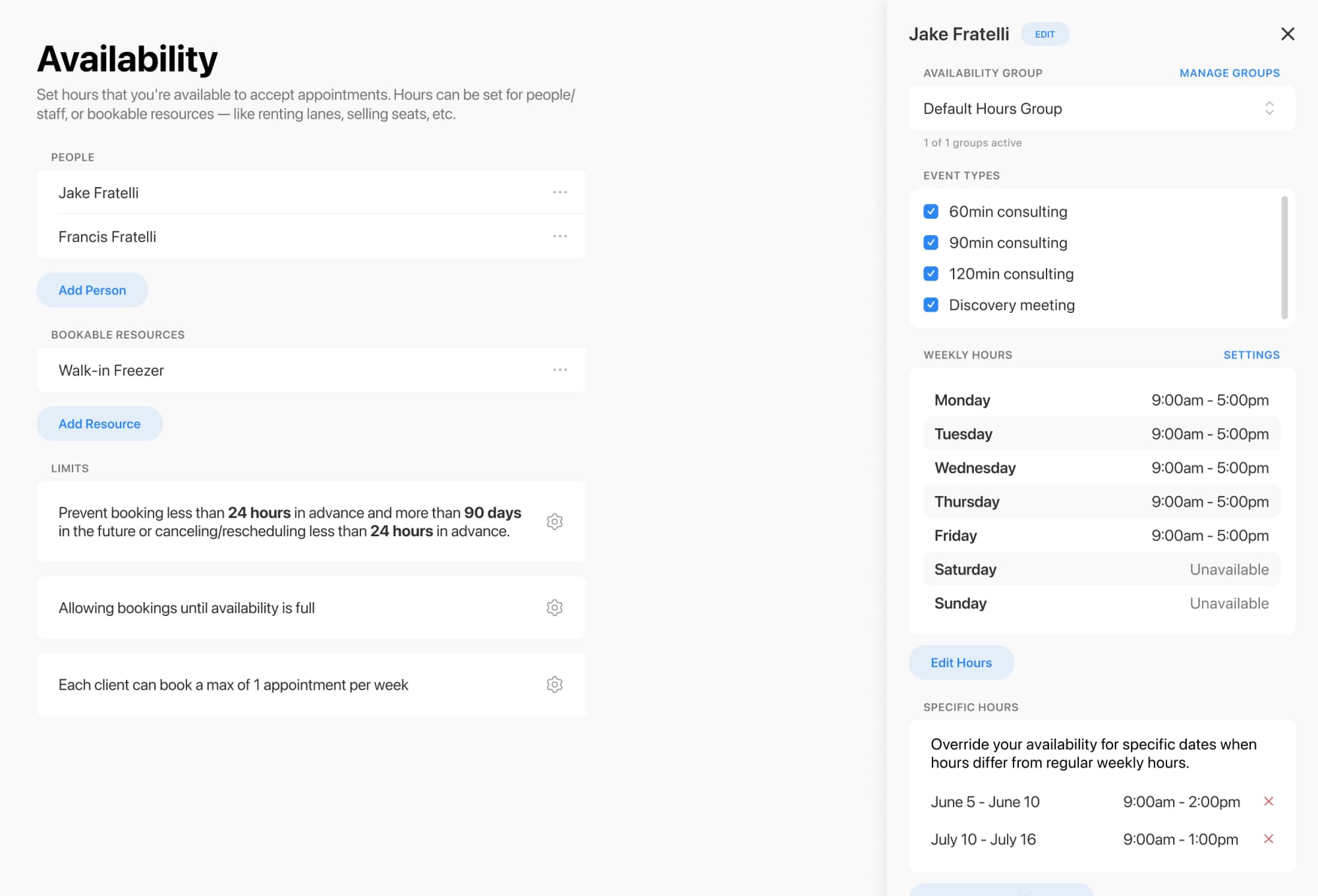
Breely lets you set regular weekly hours, different hours by day, and specific hours for each event type. You can also add booking windows, booking limits, and client limits to stay in control of your schedule.
If your classes depend on shared studio resources, that can be managed too. For example, the docs describe using resource constraints for pottery classes so bookings stay aligned with available equipment like wheels or studio space.
A clean booking experience makes it easier for students to say yes.
Event types can be organized into categories, reordered, and shown only on the forms where they belong. That makes it easier to separate private lessons from workshops, beginner series from advanced classes, or adult sessions from kids programs.
You can also assign the right people or resources to each event type, helping avoid conflicts and double-bookings behind the scenes.
For your team, color-coded event types on the admin calendar make the week easier to scan at a glance.
Simplify art class scheduling with waitlists
Online booking, reminders, and payments — free to start

No one enjoys guessing whether they got in.
Breely includes automations that can send messages after scheduling, before an appointment or class, after rescheduling, or after canceling. That helps you confirm bookings, send reminders, and keep communication polished without extra admin work.
You can also customize booking forms to collect the details you need from students, and embed those forms directly on your website for a smoother experience.
Good scheduling software does more than book classes. It helps you spot patterns.
Breely’s reporting tools include views for classes, bookings, clients, forms, and revenue, with filters, grouping, and saved views to help you track attendance and understand what is filling up fastest.
That makes it easier to:
If you are tired of juggling full classes, manual waitlists, and calendar clutter, class scheduling software with waitlists can make your studio run more smoothly.
Give your students an easier way to book, join waitlists, and grab open spots fast — while you spend more time creating and teaching.
Simplify art class scheduling with waitlists
Online booking, reminders, and payments — free to start