Class Scheduling With Waitlists That Keeps Your Online Courses Full

Running online classes is exciting. Chasing empty seats, last-minute cancellations, and messy calendars? Less exciting.
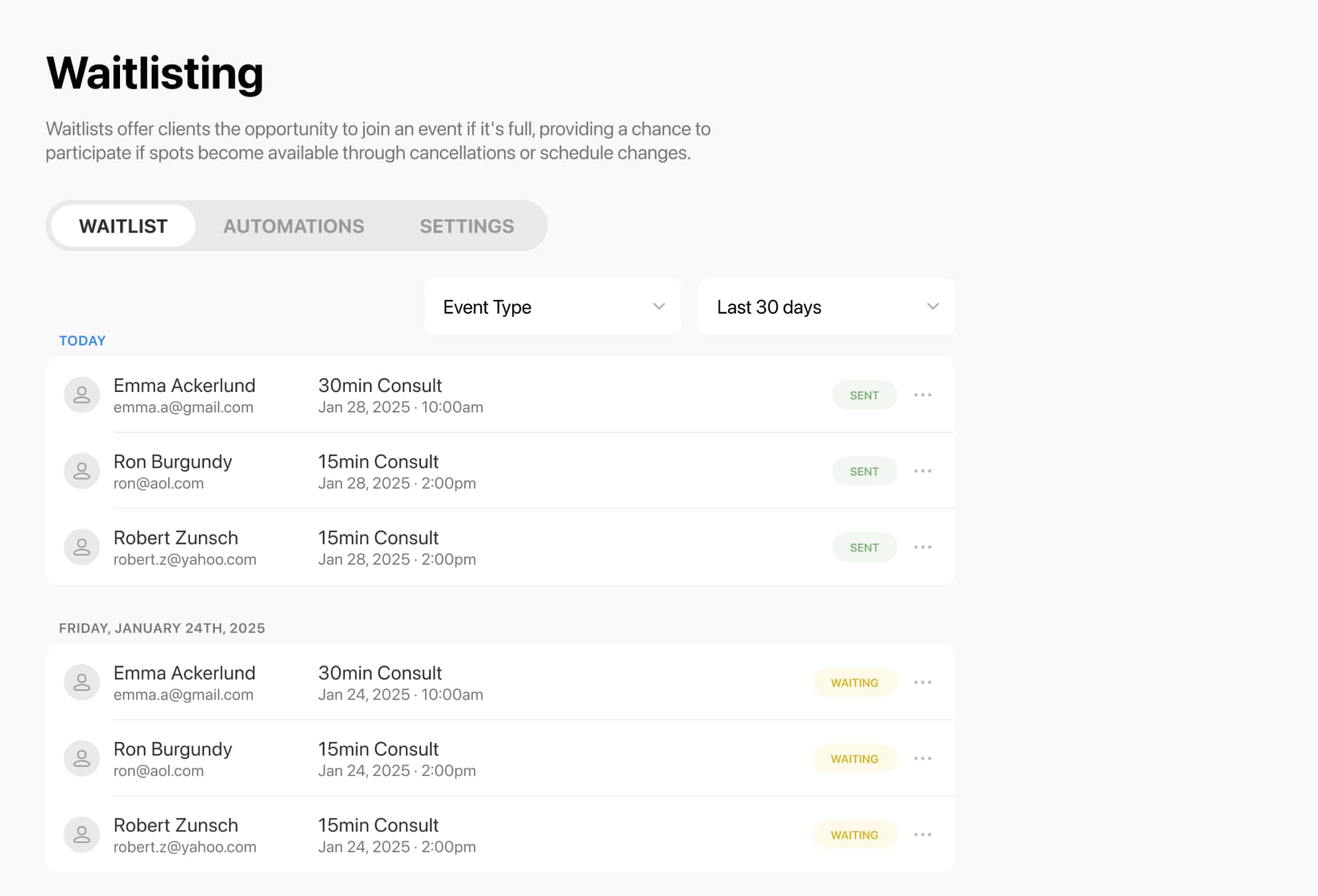
With class scheduling and waitlists built for modern course creators, you can make it easier for students to book, easier for you to manage capacity, and easier for open spots to get filled fast. Clients can join a waitlist when a class is full, and get notified automatically if a seat opens up .
A full class should feel full. And when someone cancels, that seat should not go to waste.
Waitlisting helps online course creators keep classes moving by letting students join a waitlist for a specific class session when it reaches capacity. If a spot opens, they can be notified and book it right away .
That means you can:
You can also choose how waitlist notifications work, including notifying everyone at once or using a more controlled first-in-line approach .
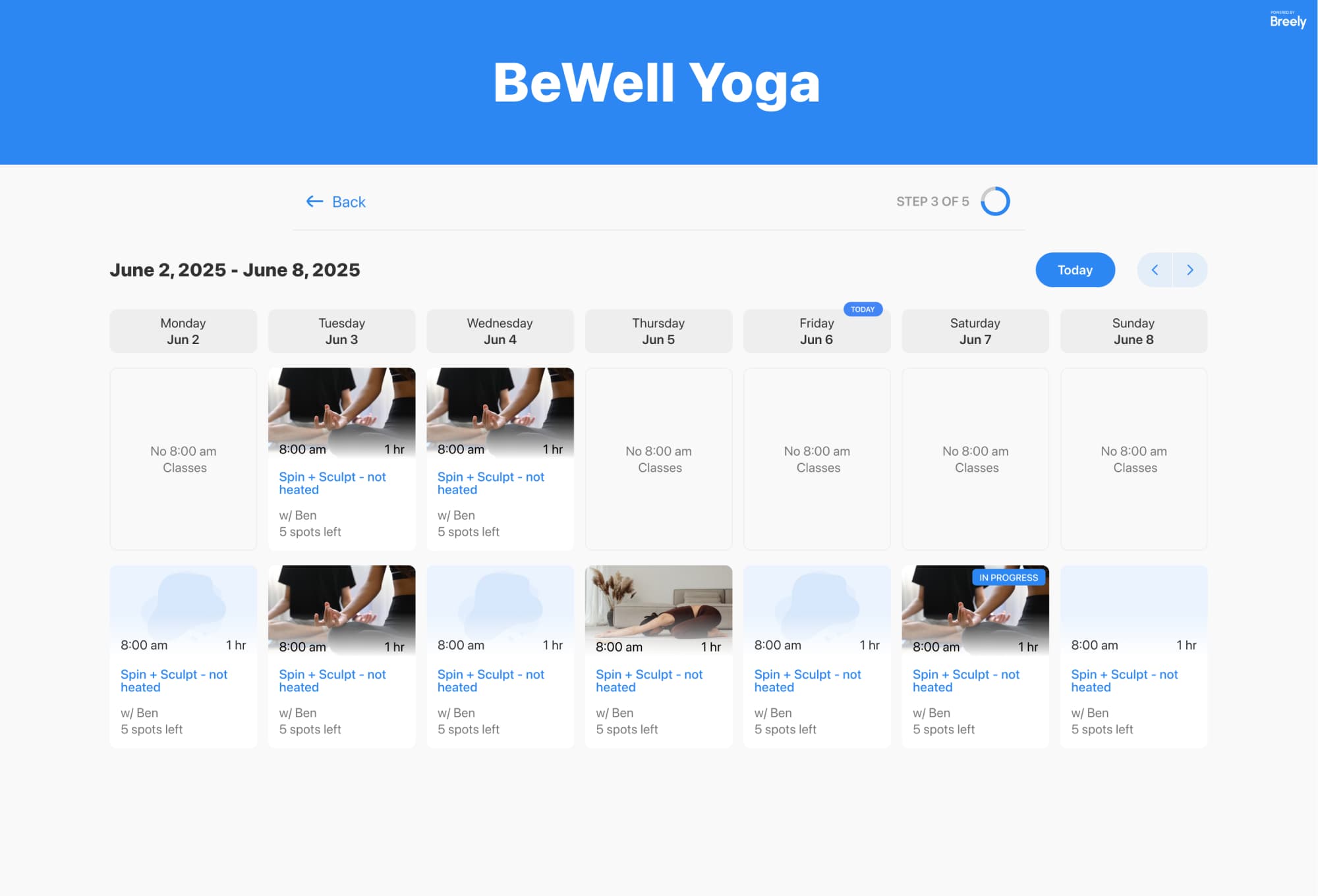
A smooth booking experience matters, especially when you are selling classes, workshops, or multi-session learning experiences.
Class booking can be shown in a weekly or monthly calendar, with options to filter classes by type and customize booking labels to match your brand or teaching style . You can also create customized booking forms and add your own branding, colors, and design elements so the experience feels like part of your business, not a bolted-on tool .
Maximize enrollments with smarter waitlists
Online booking, reminders, and payments — free to start
Helpful perks for students include:
Teaching online still takes coordination. You need to manage availability, booking windows, and capacity without turning scheduling into a second job.
You can set regular weekly hours, create different hours by day, and apply specific hours by event type . Scheduling limits also help you control how far in advance students can book, edit, or cancel .
For creators running cohort-based programs, workshops, or limited-seat classes, capacity tools help prevent overbooking. Bookable things can have capacity limits, and resource constraints can ensure you do not exceed what your schedule can realistically support .

Great scheduling software should handle the repetitive tasks while you stay focused on teaching.
Automations can send emails, text messages, or other follow-ups after someone schedules, before a class starts, after a cancellation, or after a reschedule . Combined with waitlisting, that means students can stay informed without you manually sending updates every time a spot changes .
You can use automation to:
Once your classes are running, it helps to see what is actually happening behind the scenes.
Reporting tools can give you visibility into bookings, clients, classes, forms, and revenue in one place . You can review class attendance, track trends, and customize views to better understand what is filling up, what needs promotion, and where demand is strongest .
In other words: less guessing, more good decisions.
If you want a simpler way to schedule online classes, manage capacity, and turn waitlists into filled seats, this is a smart place to start.
Create a smoother booking experience, keep your calendar organized, and let your waitlist do some of the heavy lifting.
Maximize enrollments with smarter waitlists
Online booking, reminders, and payments — free to start