Custom Booking Flows for New and Returning Pilates Clients

Great booking feels effortless.
For pilates studios, that usually means one simple thing: new clients need a little more guidance, while returning clients want to get straight to the good part. With the right booking flow, you can welcome first-timers warmly, collect the details you need, and let regulars book in just a few taps.
New clients often need a different path than your regulars. A smart form can ask a simple question like “Are you a new client?” and then send each person to the right next step. For example, first-timers can be routed to a consultation or intro session, while returning clients can skip ahead to normal service booking .
That means your studio can:
Breely forms are built in sections and support conditional logic, so you can show different questions or booking options based on earlier responses .

Returning clients are not looking for a grand tour. They want a fast, familiar path.
With client login, people can sign in using email, Google, or Apple, and previously entered information can be pre-filled for a quicker experience. Logged-in clients can also view booking history, access packages, and manage subscriptions or cards on file .
Streamline Pilates bookings for every client
Online booking, reminders, and payments — free to start
A streamlined returning-client flow can help you:
In other words: less friction, more reformer.
Pilates studios rarely run on one-size-fits-all scheduling. You may offer private sessions, intro appointments, group classes, and different availability by instructor or service type.
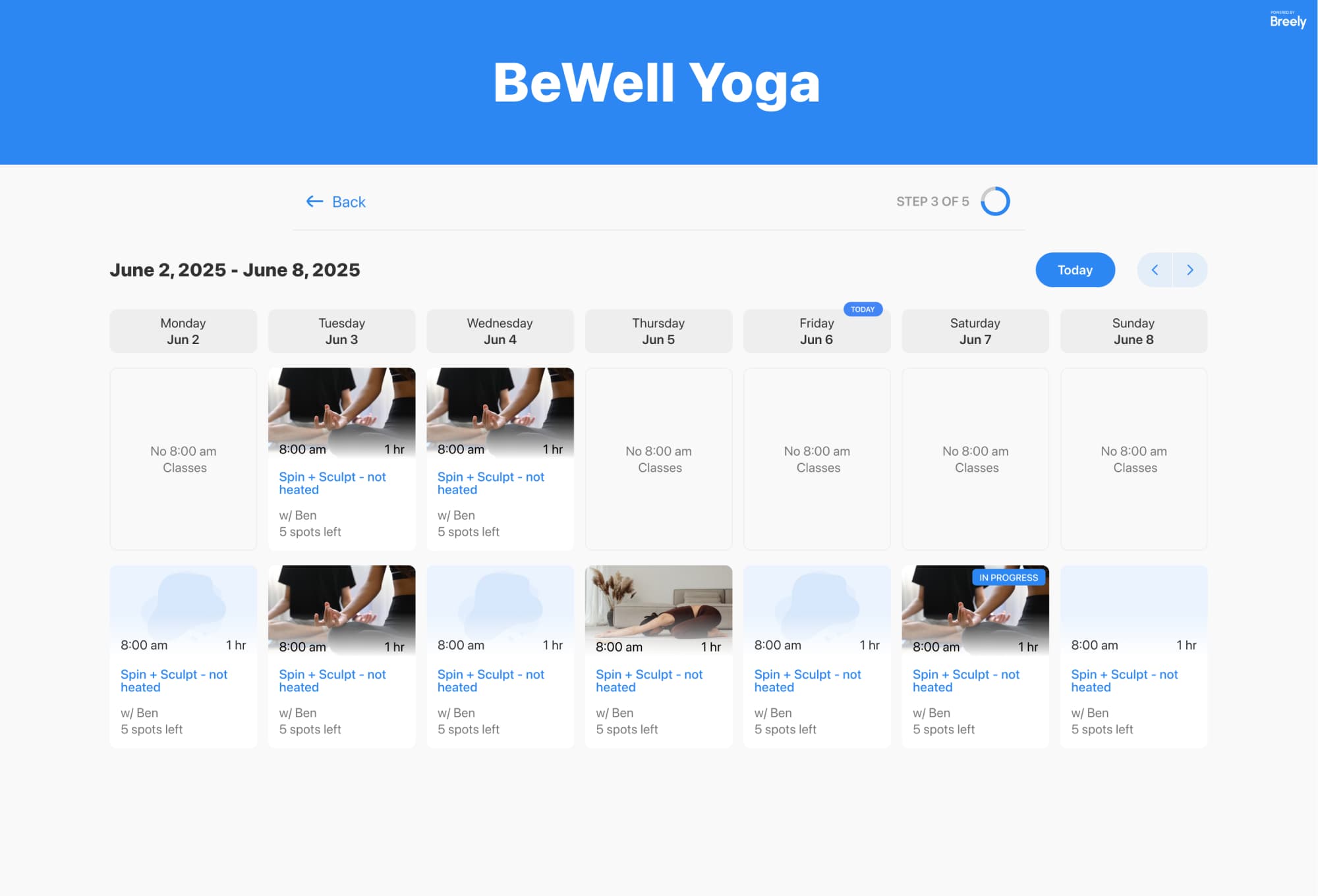
Breely supports appointment booking and class booking inside forms, with options to customize the booking flow, filter event types, and display classes on a weekly or monthly calendar . You can also set regular weekly hours, override hours on specific days, different hours by day, and specific availability for each event type .
That gives you room to create flows like:
A great booking flow does more than collect appointments. It sets the tone before and after the session too.
Automations can send messages after scheduling, before an appointment, after rescheduling, after canceling, or after completion . You can also add conditions so the right message goes to the right client, which is especially useful when new and returning clients need different communication .
Useful examples for pilates studios include:
Because automations are tied to individual forms, you can tailor different follow-up experiences for different booking flows .
When your booking flow matches the client journey, your studio feels more thoughtful from the very first click.
New clients get guidance. Returning clients get speed. Your team gets cleaner intake, better scheduling, and fewer manual workarounds. And your website does a better job of turning curious visitors into booked clients.

Ready to create a booking flow that works for both first-timers and regulars? Build a pilates booking experience that feels easy, polished, and perfectly in sync with your studio.
Streamline Pilates bookings for every client
Online booking, reminders, and payments — free to start