Keep Every Rod, Room, and Resource on the Right Schedule

Running guided trips is hard enough without chasing calendars, cabins, boats, and gear by hand. With the right scheduling setup, fishing guides can organize bookings, reserve shared resources automatically, and keep each day flowing a little more smoothly.
Whether you manage one guide and one boat or a full operation with multiple guides, rooms, and launch times, a clear scheduling system helps you stay booked, prepared, and ready to get clients on the water.
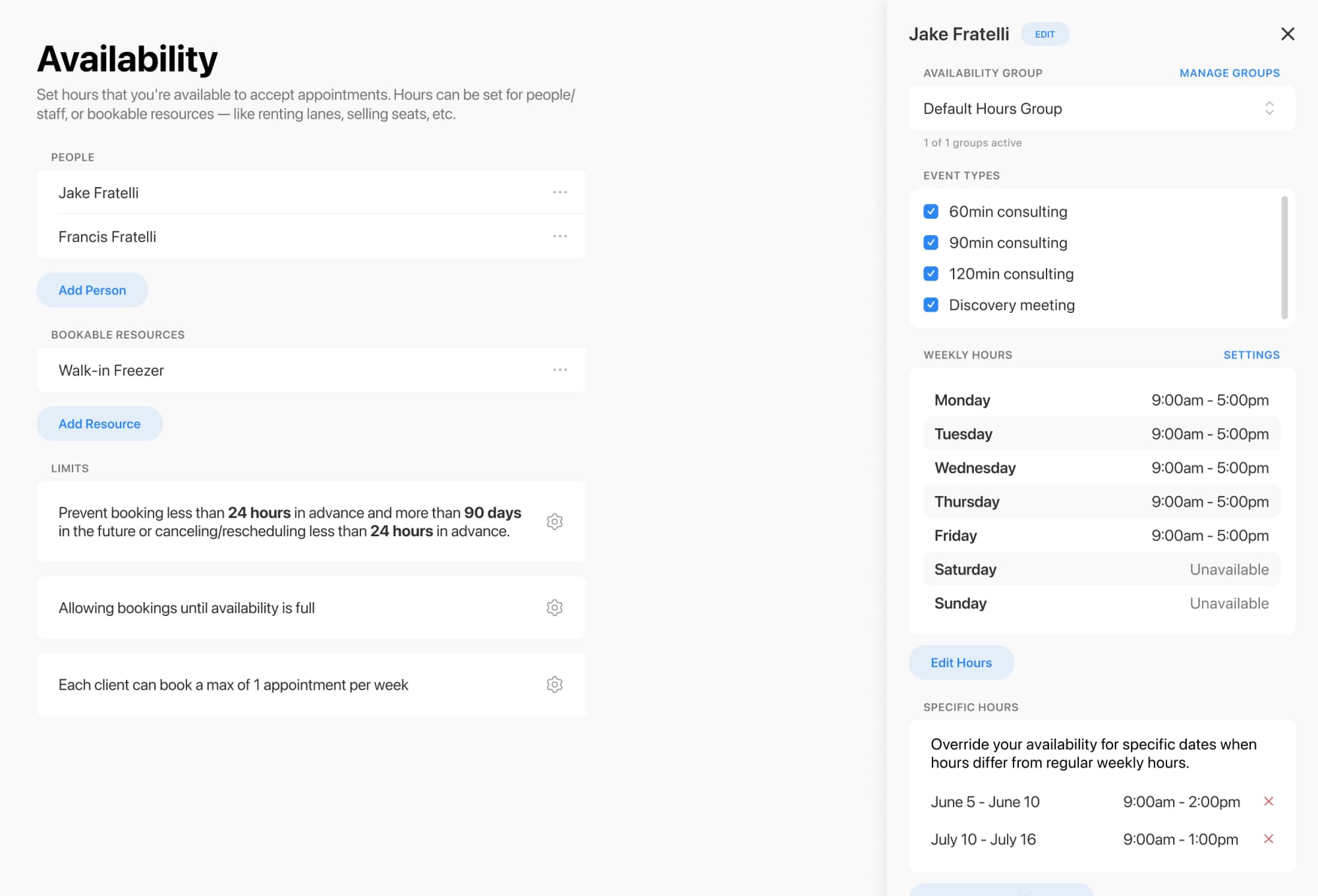
When event types are set up, they can be linked to specific people and bookable resources like rooms, equipment, or shared spaces. That means when a client books, the right person or resource is reserved automatically at the same time .
For fishing guides, that can mean reserving:
This helps reduce conflicts, avoid double-bookings, and keep your operation running like a well-cast line .

Availability matters when weather, tides, staffing, and trip types all come into play. A flexible calendar setup makes it easier to show what can be booked and when.
Event types can also be organized into categories, reordered, and color-coded on the admin calendar for a cleaner view of your schedule . That makes it easier to separate:
Short version: less guesswork, more confidence.
A good booking flow does more than claim a time slot. It helps you gather the details you need before lines hit the water.
Forms can collect client contact info, longer trip notes, file uploads, signed agreements, and more . You can also use class booking-style calendars where clients view available dates on a weekly or monthly calendar .
That’s useful for capturing things like:
The result is a smoother check-in and fewer last-minute surprises.
Get every schedule on track today
Online booking, reminders, and payments — free to start

Scheduling is only part of the story. Reporting helps you see how the business is performing.
Reports can show bookings, clients, forms, classes, payments, packages, and invoices all in one place, with options to filter, sort, group, and save views . That gives fishing guides and outfitters a clearer picture of:
When your calendar and reporting work together, it’s easier to make smart decisions before the next busy season sneaks up on you.
Room and resource scheduling for fishing guides should feel simple, not like wrestling a net in the wind.
With the right setup, you can coordinate guides, boats, rooms, and client details in one organized flow—so your team stays prepared and your guests get a better experience from booking to cast-off.
Ready to make scheduling easier for your guide business? Start building a booking flow that keeps every trip, resource, and client on track.
Get every schedule on track today
Online booking, reminders, and payments — free to start