Pilates Class Scheduling With Waitlists That Keep Every Spot Working Hard

Running a pilates studio is part movement, part magic, and part calendar Tetris. A class scheduling system with waitlists helps you fill more spots, reduce admin work, and give clients an easy way to book the classes they want.
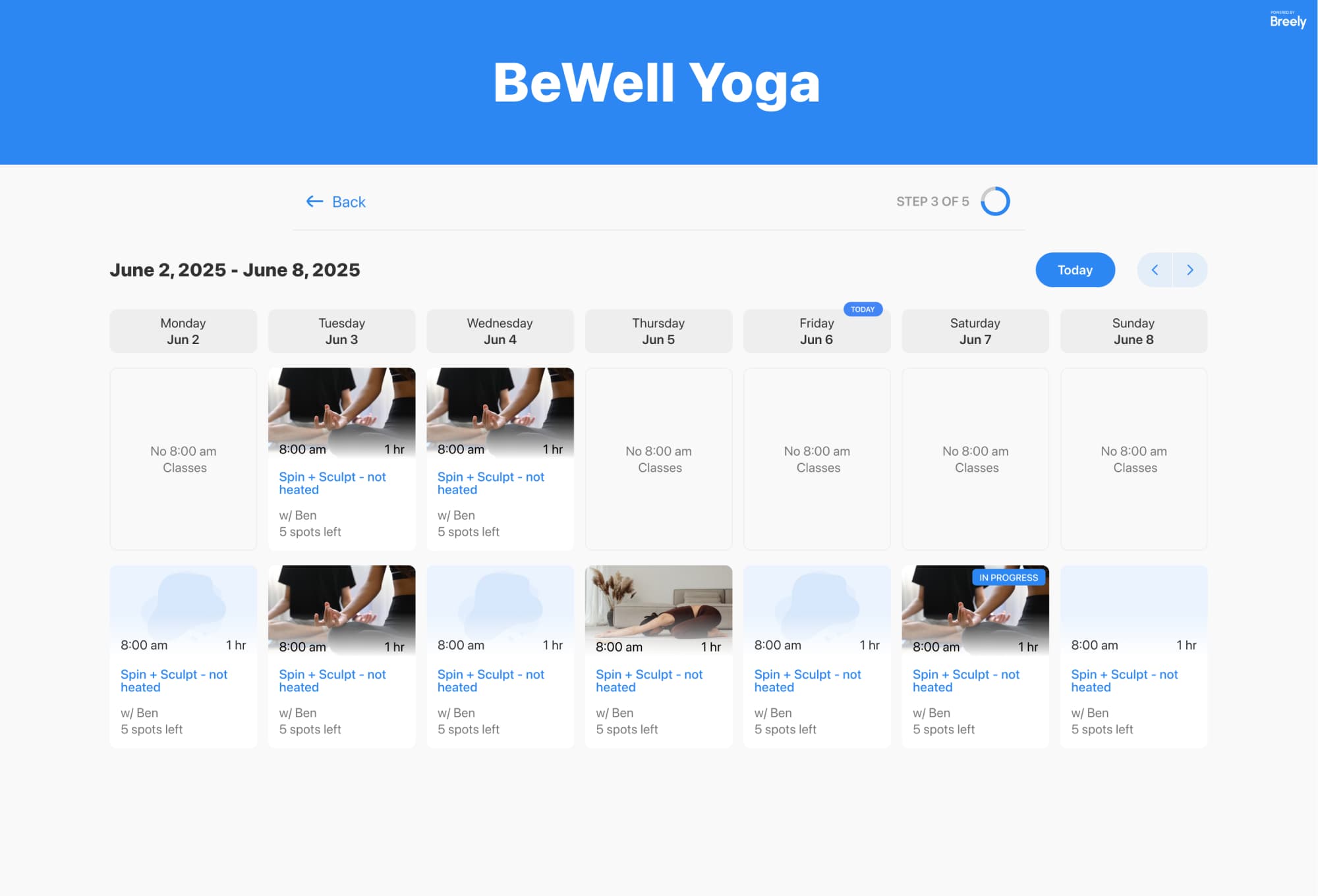
With Breely, studios can offer class booking through a calendar-style booking experience, set capacity limits, control availability, and let clients join a waitlist for a full class session. When a seat opens, clients can be notified automatically so open spots do not stay open for long.
Your clients want to book in seconds, not solve a puzzle before reformer.
Breely supports class booking on a weekly or monthly calendar, with options to filter classes by type and customize labels in the booking flow. When a class is full, clients can join a waitlist for that specific session right from the form, giving them an easy backup plan without needing to call or email the studio.
Why that matters:
Cancellations happen. Your schedule does not have to suffer for it.
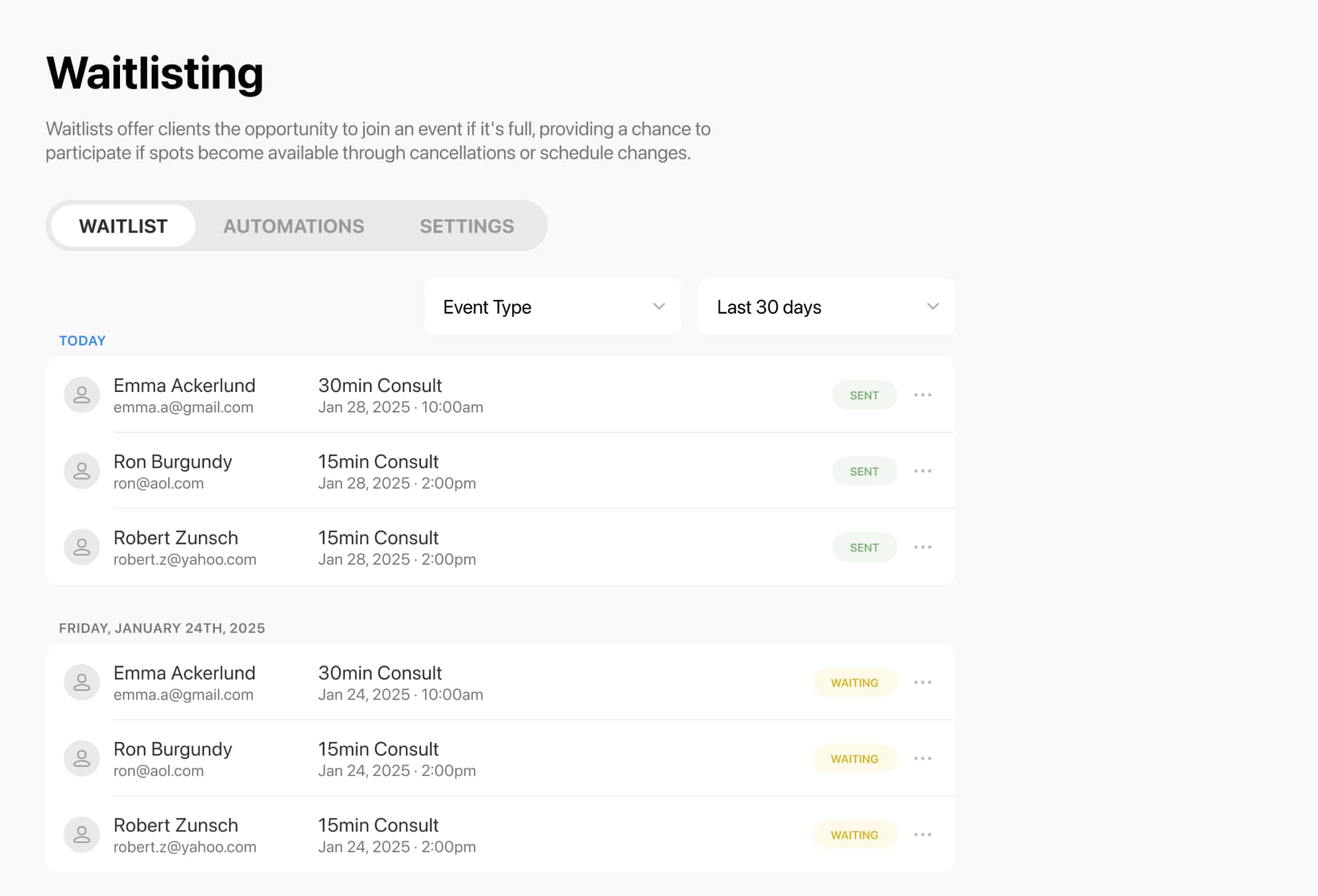
For group classes, Breely lets clients waitlist a specific class date and time when it is full. If a seat opens up, they can be notified automatically. Studios can choose whether to notify everyone at once or use a first-in-line approach, depending on how they want the waitlist to run.
That means your studio can:
A great schedule is not just full. It is realistic.
Fill every class spot faster
Online booking, reminders, and payments — free to start
Breely allows studios to set regular weekly hours, different hours by day, and specific hours for each event type. You can also apply scheduling limits, control how far in advance clients can book, and set limits on how many bookings a client can hold. For shared spaces or equipment, capacity and resource constraints help prevent double-booking and keep class sizes aligned with what your studio can actually handle.
This is especially useful for pilates studios that offer:

Studios often run more than one type of class, and your scheduling system should keep up.
Event types can be organized into categories, reordered, and shown only on the forms where they belong. You can also assign specific people, rooms, or resources to an event type so the right staff and space are reserved automatically. This helps keep your public schedule clean while making the back end much easier to manage.
A cleaner setup gives you:
A class scheduling system with waitlists helps your pilates studio stay organized, fill more classes, and make booking feel effortless for everyone involved. Less scrambling, more flow.
If you are ready to simplify scheduling and keep your waitlists working for you, it is a great time to set up a booking experience that feels as polished as your studio.
Fill every class spot faster
Online booking, reminders, and payments — free to start